
Gulf Pay
PAR RetailAuto & Vehicles
4.8305.00 Reviews
- Version
- 26.8.0
- Installs
- 100.00K
- Age Rating
- Everyone
Screenshots
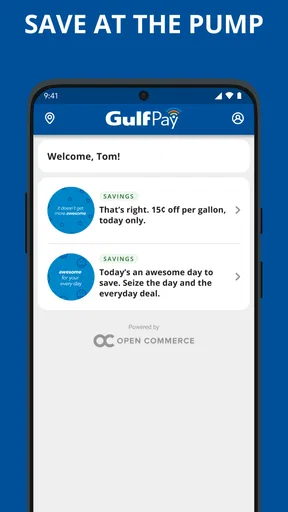
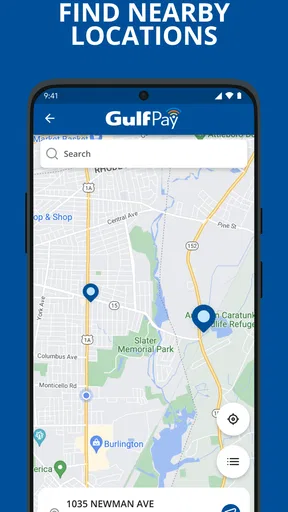
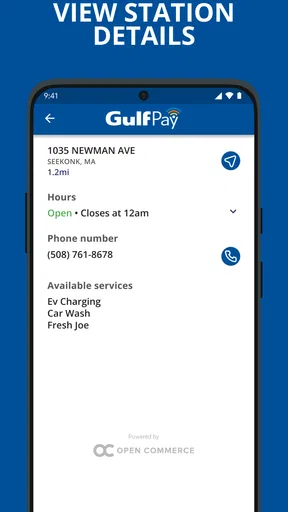
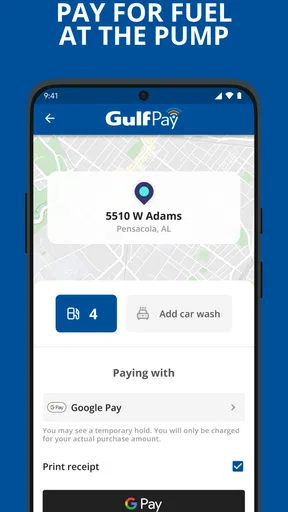
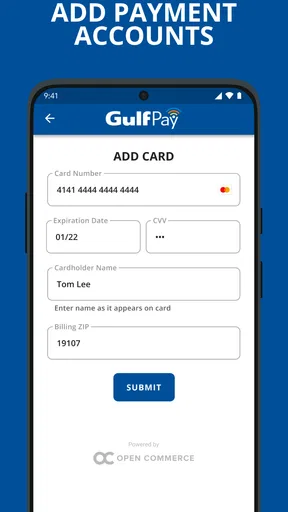
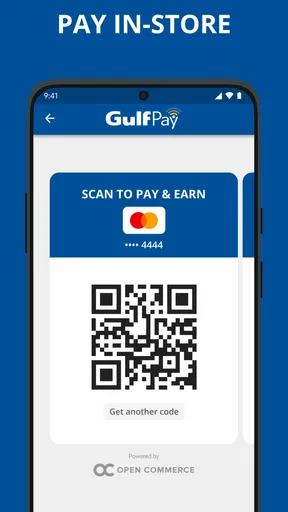
Our Review of Gulf Pay
 Analysis by Appyee
Fuel payment is one of those small errands that can become surprisingly inconvenient when you are in a hurry, carrying a child, or trying not to handle cash and cards at the pump. After spending time with Gulf Pay, my view is that it works best as a focused convenience tool: it can make a fuel stop quicker and more phone-centered, but it is not a complete replacement for every payment method or every station app. Its value depends heavily on whether Gulf stations are part of your normal driving routine.
Developed by PAR Retail, this free Auto & Vehicles app is built around paying for fuel and products from a phone. That narrow purpose is actually its strongest quality. I did not approach it as a general wallet, a navigation service, or a vehicle-maintenance platform. I treated it as a practical companion for the moment when I arrive at a Gulf station and want to complete the purchase with as little friction as possible.
My overall recommendation is simple: Gulf customers who refuel regularly should try it, while occasional visitors may find a physical card or their existing mobile wallet more dependable. The app has earned a 4.7 average from around 2.9 thousand ratings, and its reach has passed 100 thousand installs, which suggests that the phone-at-the-pump idea is resonating with a meaningful audience.
What using Gulf Pay feels like in a real fuel stop
The most convincing use case is an ordinary weekday stop. I pull into a Gulf station with the intention of getting fuel and perhaps picking up something from the shop. Instead of taking out a wallet, I can use the app as the payment point on my phone. That sounds like a modest change, but repeated small savings in attention matter when driving is already full of interruptions.
There is also a practical benefit for drivers who prefer to keep their payment routine consistent. Rather than switching between a bank app, a contactless card, and loose cash depending on the station, Gulf Pay gives the Gulf purchase its own workflow. I find that useful because the correct app is easier to remember when it is associated with one clear task: paying for fuel and station products.
The app’s design goal is speed, but speed should not be confused with skipping sensible checks. Before starting a purchase, I would make sure the selected station and pump details are correct, keep the phone unlocked and ready, and confirm the amount before leaving. A fast payment flow is helpful only when it reduces effort without making the transaction harder to verify.
One less obvious advantage is the way a dedicated fuel app can separate driving expenses from everyday spending. Someone who wants a clearer record of fuel-related purchases may find this more manageable than searching through a long list of card transactions later. I would not treat it as a full accounting system, but using the same channel for Gulf purchases can make personal budgeting easier to review.
The strongest part is its focused purpose
Many payment tools try to do everything: store loyalty cards, manage transfers, display offers, support multiple merchants, and act as a digital wallet. That breadth can be useful, but it also creates clutter. Gulf Pay takes the opposite approach. Its identity is tied to the Gulf forecourt, so I can understand why I would open it and when it is relevant.
This focus also makes it easier to recommend to a household member who does not want to learn a complicated financial app. A person who drives regularly can understand the basic idea quickly: open the Gulf payment app when visiting a Gulf station, follow the purchase flow, and check the confirmation. The simpler mental model is a real strength, particularly for users who are comfortable with a phone but dislike exploring crowded menus.
The app is listed for Everyone, which fits its everyday consumer purpose. It is available at no charge, so trying it does not require committing money to an unfamiliar payment service. That does not remove the need to think about security and account access, but it lowers the barrier for a driver who wants to test the experience during a normal refuelling trip.
I also appreciate that the current version, 26.5.0, shows this is an actively maintained product line rather than a one-off experiment. The minimum operating-system requirement is Android 9, so owners of older Android devices should check compatibility before planning to rely on it. For most users with a reasonably current phone, that requirement should not be an obstacle, but it is worth checking when the app is intended to be a primary payment option.
Three practical habits that make the app more useful
First, I would set up and test the app before arriving at a busy station. Installing a payment app while parked at the pump is exactly the kind of situation in which a forgotten password, weak signal, or unexpected verification step becomes frustrating. A quiet setup at home lets me understand the flow and confirm that the phone I carry is the one connected to the account.
Second, I would keep a backup payment method available. This is not a criticism unique to Gulf Pay; any phone-based payment depends on the phone, its battery, the app, and the connection working at the right moment. A physical card or another familiar method is still sensible for a late-night stop, a low-battery situation, or a station visit where the app flow does not behave as expected.
Third, I would make a habit of checking the confirmation screen rather than assuming that tapping a button completed everything. At a fuel station, the important details are the selected location, the pump or purchase context, and the final charge. That quick review protects against the most avoidable mistake in any fast payment workflow: moving away before confirming what was actually paid.
A fourth habit is useful for families. If more than one person drives the same vehicle, agree on who will use the account and how purchases will be checked. A dedicated app can simplify shared fuel spending, but only if everyone understands the account arrangement. Otherwise, convenience can turn into uncertainty when two people use different payment methods and no one knows which transaction belongs to which trip.
Where the convenience has limits
The biggest limitation is the app’s station-specific nature. Gulf Pay makes sense when Gulf is where I normally refuel, but it cannot replace a broadly accepted wallet for drivers who use many different fuel brands. If my route changes often, I may still need my bank card or a general mobile payment service. In that situation, adding a specialized app can create one more choice rather than removing choices.
There is also a difference between a smooth payment experience and a complete station companion. I would not install Gulf Pay expecting it to solve navigation, vehicle servicing, fuel-price comparison, or general household budgeting. Its role is narrower. That is not a flaw if the payment function is what I need, but it becomes a mismatch if I am looking for one app to manage every part of car ownership.
Phone dependence is another meaningful trade-off. A dedicated mobile payment workflow is convenient when the device is ready, but it introduces points of failure that a physical card does not have. A drained battery, a damaged screen, a sign-in problem, or a connection issue can turn a quick stop into a slower one. For that reason, I see Gulf Pay as an excellent primary option for prepared users, not as a reason to abandon every backup.
Some drivers may also prefer the familiarity of contactless payment directly through a bank card or an established wallet. Those methods can be better when I want one payment habit across different retailers and fuel stations. Gulf Pay becomes the better choice when the Gulf-specific workflow, the separation of fuel spending, or the phone-first experience matters more than universal acceptance.
Who should use it, and who should skip it
I would recommend Gulf Pay most strongly to regular Gulf customers, commuters who stop at the same stations, and drivers who prefer handling purchases from their phones. It is especially appealing to someone who wants a repeatable routine rather than a different payment decision at every fuel stop. Parents, rideshare drivers, and people who often refuel while managing other tasks may also appreciate reducing the need to handle a wallet at the pump.
It can also suit people who want to keep fuel purchases easier to identify later. Again, I would not call it a replacement for serious expense software, but a dedicated channel can provide a cleaner personal habit than mixing fuel with groceries, subscriptions, and restaurant payments in one general account view.
I would be more cautious about recommending it to a driver who rarely visits Gulf stations. If that describes you, the setup time may not justify the benefit. A general wallet or your existing bank card will probably be more convenient because it already works across more of your routine. The same applies to someone who strongly prefers not to install separate merchant apps unless they use them frequently.
It is also not the right sole option for anyone who regularly drives with a nearly empty phone battery or through places where connectivity is unreliable. Gulf Pay may still be useful, but I would keep another payment method close. The sensible approach is not to choose between digital convenience and basic preparedness; it is to use the app when conditions suit it and retain a fallback for the exceptions.
How it compares with ordinary alternatives
Compared with paying by cash, Gulf Pay is more convenient for someone who dislikes handling notes and coins or wants a phone-based record of the purchase. Cash remains attractive for people who want a simple, device-independent transaction, so the choice comes down to whether digital speed is more valuable than physical simplicity.
Compared with a bank card, the app offers a more dedicated Gulf experience but less universality. A card is usually the safer all-purpose tool when I am unsure which station I will visit. Gulf Pay has the advantage when I already know I am stopping at Gulf and want the payment process to live on my phone.
Compared with a general mobile wallet, the difference is mainly specialization. A general wallet may cover fuel, shops, transport, and countless other purchases, while Gulf Pay is easier to understand as a Gulf-specific payment companion. I would choose the general wallet for breadth and Gulf Pay for a focused station routine. Neither automatically wins; the better choice depends on how often Gulf appears in my driving life.
Compared with using a station attendant or paying inside, the phone-first approach may reduce waiting and keep the transaction closer to the vehicle. However, some drivers prefer speaking to staff, asking for help, or combining fuel with an in-store purchase handled at the counter. Gulf Pay is strongest for independent, quick transactions, not for people who value a staffed interaction every time.
Security and everyday responsibility
Because Gulf Pay handles purchases, I would treat it with the same care as any other financial app. I would use a screen lock, avoid leaving the phone unattended while signed in, and review transaction confirmations. These are ordinary precautions, but they matter more when convenience encourages me to move quickly.
I would also be careful when changing phones. Before relying on the new device at a station, I would sign in and make sure the account is ready. This is one of those small preparation steps that is easy to overlook because the app is designed for quick use. A few minutes of testing away from the pump can prevent an awkward delay when the tank is nearly empty.
For households, the question is not only whether the app is easy to use but also whether the payment account is being managed clearly. If a shared vehicle has several drivers, decide in advance whose phone is used and how receipts or charges are reviewed. The app can support a tidy routine, but it cannot make an unclear household arrangement clear by itself.
I also would not judge the experience solely by how quickly the first payment works. The real test is consistency across ordinary trips: opening it without confusion, selecting the right context, seeing a clear confirmation, and being able to understand the charge afterward. That is the standard I would use before making it my default method.
My verdict after weighing the trade-offs
Gulf Pay succeeds because it does not pretend that fuel payment needs to be complicated. It gives Gulf customers a direct way to use a phone for fuel and product purchases, and its free access makes experimenting with that routine straightforward. The high average rating and growing install base reinforce the impression that the central idea is useful for many drivers.
Still, I would not recommend replacing every other payment method with it. Its usefulness is tied to Gulf stations, its convenience depends on a working phone, and drivers who already have a reliable general wallet may not gain enough to justify another app. Those are not reasons to dismiss it; they are the boundaries that make the recommendation honest.
My final take is that Gulf Pay is worth installing when Gulf is part of your regular route. Set it up before your next fuel stop, learn the payment flow while you are not in a hurry, and keep a backup card available. For the right driver, it turns a routine purchase into a cleaner phone-based habit. For everyone else, the usual card or general wallet may remain the more practical choice.
Privacy and Permissions
See what permissions an app requests and how it handles your data.
- Location
- approximate location (network-based), precise location (GPS and network-based)
- Camera
- take pictures and videos
- Microphone
- record audio
- Wi-Fi connection information
- view Wi-Fi connections
- Other
- view network connections, full network access, change your audio settings, prevent device from sleeping
Verdict
Strengths of Gulf Pay
- Supports convenient digital payments for everyday purchases.
- Provides quick access to transaction details and payment history.
- May reduce the need to carry cash or multiple payment cards.
- Useful for managing payments through a single mobile interface.
- Can make recurring financial tasks faster and more organized.
Limitations of Gulf Pay
- Availability and features may vary by country or supported Gulf provider.
- Some services may require identity verification before full access.
- A compatible device and stable internet connection are usually needed.
- Transaction limits or fees may apply depending on the selected service.
- Losing phone access could make account recovery temporarily difficult.
Other Releases by PAR Retail
View All
Marathon Rewards
Auto & Vehicles4.8

Royal Farms Rewards
Food & Drink4.8

Jacksons Let's Go Rewards
Food & Drink4.8

Yesway & Allsup’s Rewards
Auto & Vehicles4.8
Similar Picks in This Category
View All
Android Auto
Google LLC4.1

maxim — order a taxi & food
PT. SITO4.7

Штрафы ГИБДД: проверка с фото
Pays LLC – Штрафы ГИБДД4.7

Номерограм – проверка авто
Авто Ассист4.8

Дром Авто
Дром4.9

Frequently Asked Questions
What is Gulf Pay, and what can I use it for?
Gulf Pay is a digital payment application designed to make everyday transactions more convenient through a mobile device. Depending on the services available in your region, you may be able to send or receive money, pay participating merchants, manage payment cards, review transaction activity, and access other financial services. Available features can vary by country, account type, and local regulations.
How do I create a Gulf Pay account?
To create an account, download Gulf Pay from an official app store and follow the registration instructions shown in the application. You will generally need to provide a valid mobile number and personal information, then confirm your identity with a verification code or additional documents. Make sure your details match your official identification to avoid delays during verification.
Is Gulf Pay safe to use for payments and money transfers?
Gulf Pay may include standard security measures such as login protection, verification codes, encrypted communication, and transaction notifications. However, no financial application is completely risk-free. Use the official app, keep it updated, protect your password and verification codes, and never share sensitive information with callers, messages, or websites claiming to represent Gulf Pay.
Are there fees, limits, or eligibility requirements when using Gulf Pay?
Fees and transaction limits can depend on the type of payment, transfer method, linked account, merchant, and country where Gulf Pay is available. Some services may be free while others may involve processing or transfer charges. Before confirming a transaction, review the displayed cost and applicable limits, and check the official terms for age, residency, and verification requirements.
What should I do if a Gulf Pay transaction fails or my account is locked?
If a payment or transfer fails, first check your internet connection, account balance, recipient details, and whether the service is temporarily unavailable. Avoid repeating the transaction until you confirm whether money was deducted. For a locked account, forgotten credentials, disputed transaction, or missing refund, use Gulf Pay’s official in-app help or customer-support channels and provide the relevant transaction information.
